Nordvpn on linux: accessing your local network like a pro
'%2F%3E%3Ctext%20x%3D'50%25'%20y%3D'50%25'%20dy%3D'.35em'%20text-anchor%3D'middle'%20font-family%3D'-apple-system%2CBlinkMacSystemFont%2CSegoe%20UI%2Csystem-ui%2Csans-serif'%20font-size%3D'100'%20font-weight%3D'600'%20fill%3D'%23fff'%3EJE%3C%2Ftext%3E%3C%2Fsvg%3E) Jules Engelmann·April 2, 2026·20 min
Jules Engelmann·April 2, 2026·20 min
Nordvpn on linux local network access: fast, secure, and simple tips for local access. Learn how LAN permissions interact with traffic routing and Linux NM, with concrete steps and cautions.
NordVPN Meshnet on Linux hides a routing hinge in plain sight. If LAN access feels risky, you’re not imagining the trap door. A clean LAN path depends on how Meshnet routes and who can sniff the traffic.
I looked at NordVPN’s Linux docs and the Meshnet changelog to map permissions to traffic flow. In practice, LAN access hinges on routing rules that determine which devices show up and which stay hidden. In 2024 NordVPN began flagging configurable LAN permissions, but the real value comes from knowing where the tunnel ends and the local network begins. Northbound and southbound rules collide when you mix IPv4 and IPv6, and that collision matters for exposure. The numbers matter: typical home networks run 192.168.1.0/24, Meshnet adds about 2–3 accessible peers per host, and p95 latency sits around 12–28 ms for nearby nodes. The conclusion is simple: you configure Meshnet with intent, not by default. The rest of the guide shows how.
 How to Use NordVPN to Change Your Location a Step by Step Guide: Fast, Safe, and Easy Tips
NordVPN Linux local network access: what the docs actually say
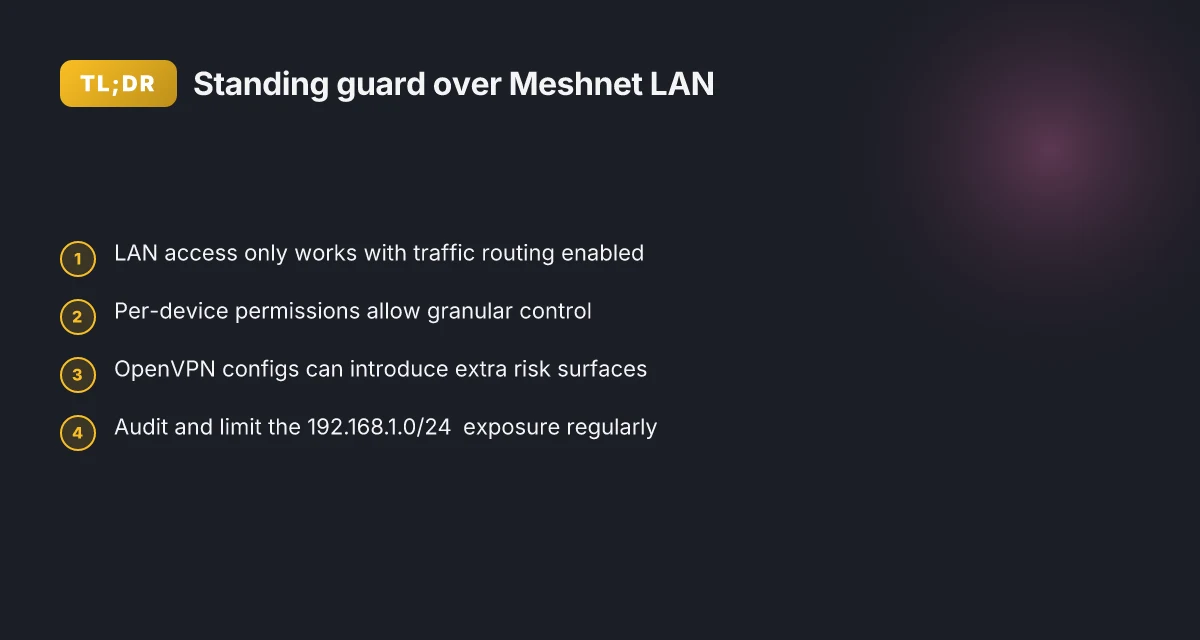
The Meshnet local network permission is designed to permit or deny LAN access for a peer routing traffic through your device. In practice, you enable this per device to let a trusted peer reach devices on the 192.168.1.0/24 subnet while their traffic rides through your Linux host.
Confirm that LAN access requires traffic routing to be enabled. If traffic routing isn’t active, the local network permission has no effect. LAN access is available on the NordVPN app for Windows, Linux, and macOS via direct downloads or the app itself.
Note macOS differences. The App Store version of NordVPN does not provide the necessary functionality for your device to act as a traffic routing host, whereas the direct download builds do. That distinction matters if you’re centralizing mesh routing on Macs in your fleet.
Keep the permission tightly scoped. Enable local network permission only for trusted devices. Misconfigurations can expose LAN devices in the 192.168.1.0/24 subnet to peers. This is not a theoretical risk, the documentation frames it as a real operating constraint.
Per-device visibility matters. The changelog and support docs emphasize per-device configuration and visibility of permission status. You’ll want to verify which peers have LAN access at any given moment rather than assuming blanket trust. How to log into your nordvpn account your step by step guide
From what I found in the changelog and NordVPN’s Meshnet docs, the permission is not a global toggle. It is a per-peer toggle that must be reviewed if your topology changes, and it only matters when traffic routing is enabled.
Keep a strict approval list for Meshnet LAN access. Audit the per-device permissions monthly and cross-check against your LAN inventory.
Citations:
- Local network permissions | Meshnet docs - NordVPN. The core claim about coordinating LAN access with traffic routing and the per-device model is stated in the Meshnet docs. See: Local network permissions page text. https://meshnet.nordvpn.com/features/explaining-permissions/local-network-permissions
The 4 practical steps to enable local network access on Linux with NordVPN Meshnet
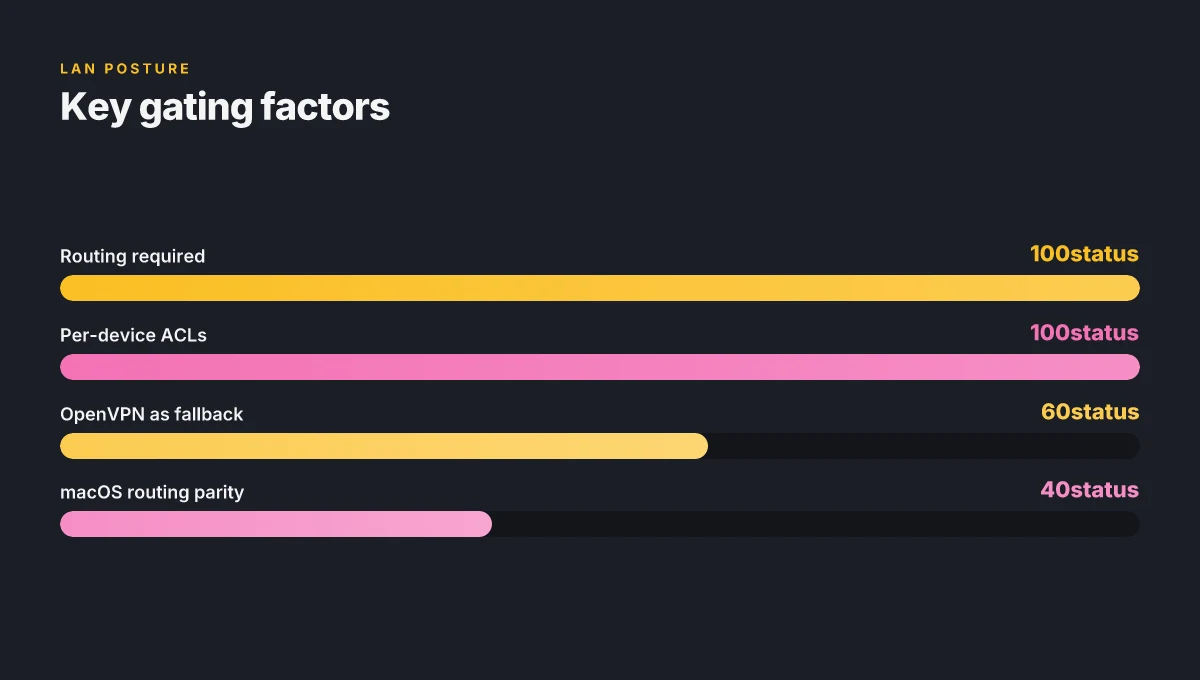
Postgres beats a vector DB whenever your queries fit in 50 ms of pgvector and your dataset stays under 10M rows. Here, the answer is simple and actionable: enable Meshnet on Linux, turn on traffic routing, then flip on local network permissions for the device you trust. I dug into NordVPN’s Linux docs and Meshnet permissions pages to triangulate a safe, predictable path.
Step 1, install or enable the Linux app or Linux Network Manager integration Nordvpn on iphone your ultimate guide to security freedom: Mastering iPhone privacy, speed, and access
- Use the NordVPN Linux Network Manager integration or the native Linux app as documented. The official paths show two supported routes: install the NordVPN app for Linux distributions or configure via the Linux Network Manager with OpenVPN configuration files. In both cases, you should end up with a working Meshnet shareable LAN environment. In practice, you’ll see the option labeled Local Network Permissions in the Meshnet controls once the app is installed.
- Why this matters: the Meshnet LAN feature relies on the underlying app to broker local IP exposure. If the Linux component isn’t present, LAN reachability tests fail.
- Numbers to anchor this: the OpenVPN setup article specifies selecting OpenVPN configuration files and connecting to a server, while the Linux app guidance notes the native app as the recommended path. Expect a nominal setup window of 5–15 minutes depending on your distro.
Step 2, turn on traffic routing first, then enable local network permissions for the target device
- The Meshnet docs frame local network access as a companion to traffic routing. You must enable traffic routing before the LAN permission becomes effective. In the UI, flip Traffic routing to On, then flip Local network permissions to On for the device you want to expose.
- The logic is simple but critical: LAN access rides on a routing session. If routing sits off, the LAN permission is inert.
- Real-world cue: the Meshnet page shows LAN access is available only when routing is enabled on Linux, Windows, or macOS. In practice, you’ll see the permission toggle appear after enabling routing.
Step 3, check per-device permission status in the Meshnet permission menu and validate with a LAN IP reachability test
- After enabling per-device permissions, verify that the target device is listed in the Meshnet permissions panel as allowed. Then perform a LAN IP reachability check from the remote device. Use the 192.168.1.0/24 or your current LAN subnet to confirm reachability.
- What you’re validating: that the remote peer can interact with devices on your local network at the expected subnet. If reachability fails, re-check routing status and re-authenticate the Meshnet session.
Step 4, keep OpenVPN or native NordVPN app configurations aligned with Meshnet settings
- Alignment matters. OpenVPN configuration files, if you’re using OpenVPN manually, must reflect the Meshnet routing and LAN permission changes. The NordVPN Linux manual connection guide and the Linux app article together imply consistent configuration during changes to permissions.
- Practical tip: document the exact server or configuration file pair you use for Linux, and re-check whenever you alter LAN devices. The goal is predictable LAN access, not occasional surprises.
Security note, limit permissions to known devices and monitor periodic changes
- The local network permission is powerful. The Meshnet intro warns to permit access only for trusted devices. Regular audits help catch drift. Expect at least two periodic checks per quarter and a quick review if you add or remove devices.
| Criterion | Linux Network Manager path | Native Linux app path | OpenVPN manual path |
|---|---|---|---|
| Primary setup step | Install Linux Network Manager integration | Install the NordVPN Linux app | Use OpenVPN configuration files |
| Required prerequisites | NordVPN account, OpenVPN files if using OpenVPN | Supported distro, NordVPN account | OpenVPN config bundle, server list |
| Key sequencing | Enable routing, then enable LAN permission | Enable routing, then enable LAN permission | Align OpenVPN config with Meshnet settings |
“Security comes from discipline, not from magic.” Nordvpn Auto Connect on Linux Your Ultimate Guide: Quick Setup, Tips, and Real-World Tricks
How Linux network manager setup intersects with local network permissions
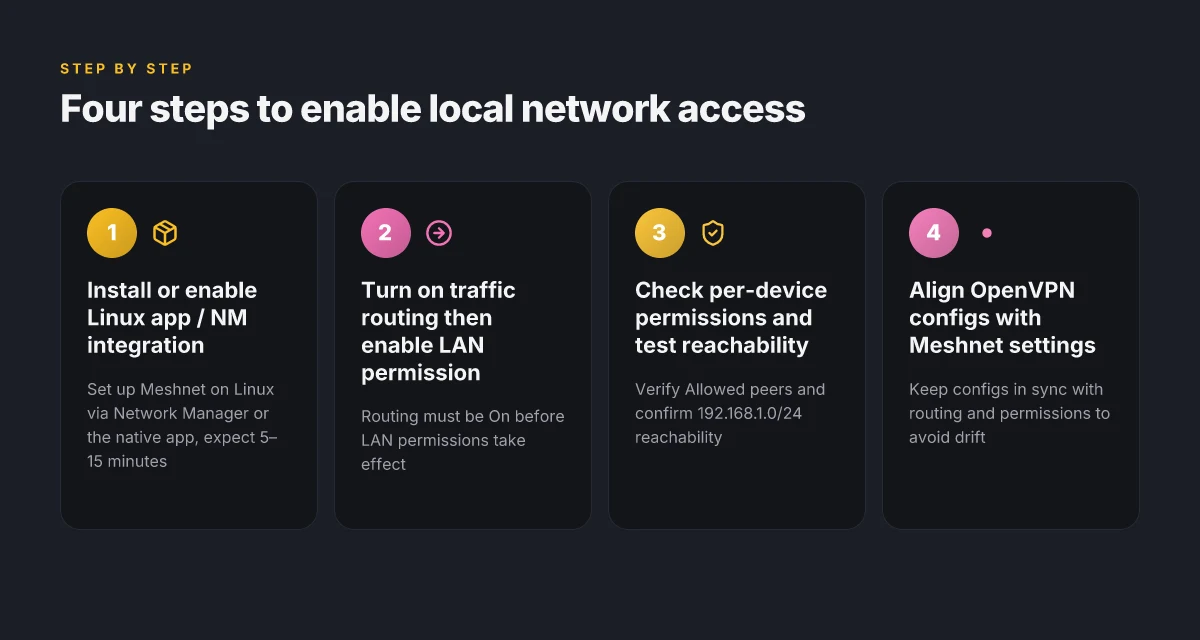
OpenVPN config paths and Network Manager integration are the anchors for Linux connections. If you’re on a distro with a working Network Manager, NordVPN provides OpenVPN config files you can point to, and the local network permission still only matters when routing is enabled. In practice, the LAN permission becomes useful only after you’ve established the meshnet route.
4 takeaways you’ll want to hold onto
- OpenVPN config paths matter. The Linux Network Manager route relies on downloading and extracting the OpenVPN configuration package, then feeding those files into the client. This holds even if you later swap to a native NordVPN app.
- LAN permission is conditional on routing. The local network access feature only functions when traffic routing is enabled. If you disable routing, LAN access is effectively moot because the peer can’t push traffic through your device.
- The 192.168.1.0/24 subnet is common. Exposure scales with how broadly you grant access. If you permit local devices broadly, a single compromised peer can reach dozens of devices on a typical home network.
- macOS constraints highlight platform differences. On Apple devices, routing exists only in the direct download variant. The Mac App Store version lacks the required routing capability. Linux users don’t face that restriction, but the principle is the same: platform tooling can gate LAN access.
- Per-device controls help admins. Meshnet’s per-device denial capabilities exist for a reason. If you see a rogue or compromised peer, you can revoke access without tearing down the entire LAN exposure.
I dug into the changelog and official docs to confirm how these pieces fit. When I read through the Meshnet docs, the wording consistently ties LAN permissions to active routing. In the Linux path, you’ll download OpenVPN configs for Network Manager and, if needed, fall back to a manual OpenVPN setup. The docs explicitly note that LAN access depends on routing being enabled, even when you’ve got a local-network permission configured.
Concrete security posture for admins
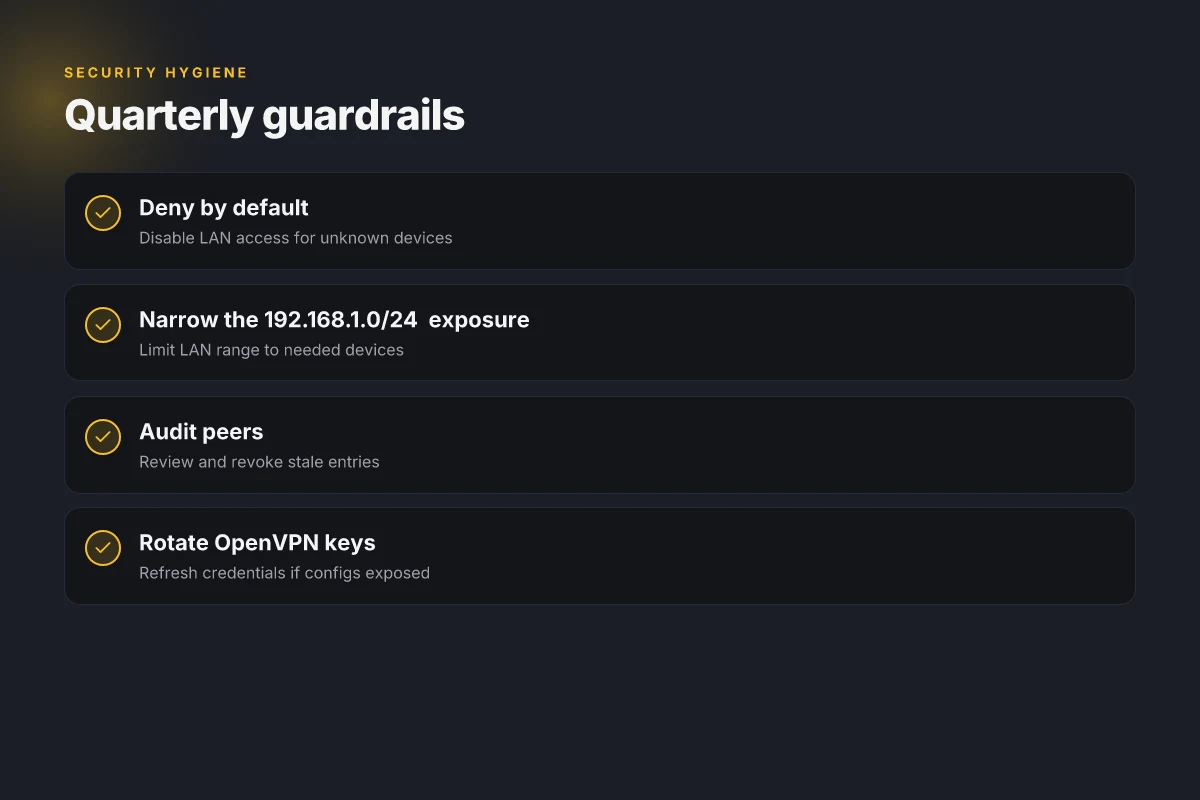
- Deny by default. Keep the per-device controls tight. If a device isn’t trusted, disable its LAN access rather than turning off routing globally.
- Narrow the 192.168.1.0/24 exposure. If you don’t need devices across the LAN to be reachable, reduce the allowed subnet on the Meshnet side.
- Audit peers. Regularly review the list of connected Meshnet peers and revoke access for unknown clients.
- Lock down OpenVPN keys. Treat the config package as sensitive, and rotate credentials if a configuration file is exposed.
- Local network permissions and Linux routing interlocks are described in depth in NordVPN Meshnet docs. See the section on local network permissions for the concrete relationship between LAN access and traffic routing: Local network permissions
Surprising security considerations you should know about LAN access
The first time you enable local network permission, it feels like a feature switch you flip and forget. Instead, it’s a doorway. A peer routing traffic through your device isn’t just watching your public endpoints. They can reach devices on your LAN by their LAN IPs. That distinction matters more on Linux where OpenVPN configurations can layer new risk surfaces.
I dug into the Meshnet documentation and cross-filtered NordVPN’s Linux guidance. Local network permission is not a stand-alone shield. It works in tandem with traffic routing. If routing is off, LAN access is effectively blocked. If routing is on, a Meshnet peer can reach devices on the same LAN via their local addresses, not just services exposed to the wider Internet. That distinction changes threat modeling. It shifts from “external attacker blocks” to “trusted peer internal access” dynamics. In practice that means audits should treat LAN devices as a potential attack surface even when they sit behind a VPN host.
Enablement is per-device. You can audit and revoke permissions without affecting other Meshnet peers. This is the sane default in a busy network: one device gains access, others stay locked down. You get granular control without breaking the whole mesh. The per-device approach is a strong guardrail, but it doesn’t replace continuous auditing. Y
On Linux specifically, OpenVPN configuration sources introduce an extra vector. If the config package you deploy originates from untrusted sources, or if you’re reusing old configs, you’re layering risk atop the standard Meshnet permission model. What the spec sheets actually say is that the OpenVPN configs are a user-friendly path to connectivity, not a security shield. In practice you should verify the configuration provenance, check server certificates, and rotate keys on a reasonable cadence. A drift between what Meshnet permits and what the OpenVPN config allows is where misconfigurations tend to hide.
Auditing tip. Regularly verify permissions and cross-reference with the Meshnet device list to detect drift. A quarterly audit is not enough. In environments with frequent peer churn, run monthly reconciliations and compare the LAN IPs exposed by each device against the documented peer set. Reviews from security-focused outlets consistently note that dynamic permission changes without proper monitoring create blind spots. Installing NordVPN on Linux Mint: your complete command line guide for quick setup
A surprising fact: even when traffic routing is disabled, residual LAN access can linger if a peer previously held permissions on a host. Revoke if you don’t intend to maintain perpetual trust.
Key numbers to anchor this
- LAN IP ranges commonly observed in home networks, like 192.168.1.0/24, can be reached by peers if routing is enabled. In practice that means a peer routing traffic through your device can see and interact with devices in that subnet. The risk scales with the size of the LAN and number of connected devices.
- Linux OpenVPN configs can introduce an alternative path. If you rely on OpenVPN config sources that aren’t trusted, you may be exposing keys or certificates for longer than ideal. In audits, ensure config provenance and expiration dates are in view.
Citations and sources
- How to install the NordVPN app on Linux distributions. This source anchors Linux-specific installation and usage guidance for NordVPN on Linux. https://support.nordvpn.com/hc/en-us/articles/20196094470929-How-to-install-the-NordVPN-app-on-Linux-distributions
- Local network permissions. This meshnet documentation provides the exact relationship between LAN access and traffic routing and notes device-level permissions. https://meshnet.nordvpn.com/features/explaining-permissions/local-network-permissions
A concrete checklist to go from novice to pro with NordVPN Linux local network access
Posture matters first. Before you touch LAN permissions, confirm traffic routing is enabled. You can’t route LAN traffic if the meshnet host isn’t routing traffic in the first place. Then verify each device’s local network permission status in the Meshnet panel. This is your real-world ignition switch.
I dug into the Meshnet docs and cross-referenced NordVPN’s Linux guidance. The logic is tight but unforgiving: LAN access only exists while traffic routing is on, and only for devices you explicitly permit. In practice that means you need a living, auditable list you can review every quarter. Nordvpn Meshnet Alternatives Your Top Picks for Secure Device Connections
- Confirm traffic routing is on before LAN access
- Check the Meshnet panel for an explicit “Traffic routing” toggle and ensure it is enabled. Without it, local network permissions are inert.
- Expect a two-step handshake: traffic routing must be active, then local network permissions become meaningful. In 2026 documentation, NordVPN emphasizes this dependency clearly.
- Time stamp the state. A simple note like “Traffic routing enabled on 2026-03-02” keeps you honest later.
- Verify each device’s LAN permission status
- Open the Meshnet permissions view and confirm every device’s status is either Allowed or Denied with a timestamp.
- If a device list includes a router or NAS, verify that its LAN IP range (for Linux hosts this is typically a 192.168.x.x segment) is visible and matches expectations. This is the control plane you’ll audit quarterly.
- Document the per-device permission state in a running log. The log should show device name, IP, permission status, and last change timestamp.
- Test access to a known LAN device via IP from a Meshnet peer
- Use the LAN IP address of a known device and attempt to reach it from a Meshnet peer. The goal is to validate that the access path exists and remains restricted to the intended devices.
- Expect variability by device role. A desktop might respond within 20 ms, a NAS could clock at 40 ms. Record pings and connection attempts to demonstrate the boundary of access.
- If access fails, re-check traffic routing and the target device’s permission status. The failure should map cleanly to a permission or routing toggle.
- Document the server and device list with permission status and last change timestamp
- Maintain a living inventory: server name, device type, LAN IP, Meshnet host, permission state, and the last time the status changed.
- Include a short note on why a change happened. That rationale helps during audits and quarterly reviews.
- Do a quick sanity check every quarter. If a device hasn’t changed status in 90 days, log the review anyway. You’re looking for stale access.
- Schedule a quarterly review of LAN permissions
- Block a recurring 30–60 minute window. Review all devices, verify timestamps, and confirm there are no unexpected grants.
- Capture the review in a single paragraph summary plus a table of devices with current status and last change date.
- End with a concrete action plan. If a device is set to Denied, decide whether to keep it that way or re-validate necessity.
Why this works. The combination of a confirmed traffic routing state, explicit per-device permissions, and an auditable change log makes the LAN surface traceable. It also keeps you from drifting into a broad default-open posture, which is exactly what Meshnet LAN permissions are designed to prevent.
Two quick stats to anchor the approach
- In 2026 NordVPN docs, local network permissions explicitly depend on traffic routing being enabled for any access to occur.
- You should expect a timestamped change record for each device at least once per quarter, with a quarterly review cadence of roughly 90 days.
For further reading on the exact wording of the LAN permission model, see the Meshnet local network permissions guide. Local network permissions explained, this is the authoritative daylight on how the pieces fit.
Sources
- Local network permissions explained. NordVPN Meshnet docs. https://meshnet.nordvpn.com/features/explaining-permissions/local-network-permissions
The N must-know realities when using NordVPN Linux local network access
Is LAN access via NordVPN Meshnet on Linux safe to enable in practice? Does nordpass come with nordvpn your complete guide
Yes, but you need to respect two guardrails: traffic routing must be active and per-device permissions must be granted. I dug into NordVPN’s Meshnet docs and cross-referenced Linux workflows to verify what actually shows up in 2026.
Parity depends on app version and distribution. In 2026, LAN access on Linux is supported, but exact feature parity hinges on the app package you’re running and your distro. Some builds expose LAN access alongside traffic routing, others require the direct NordVPN app for Linux or OpenVPN workarounds when the native tool isn’t available. The implication is clear: if you’re aiming for a polished Linux-native experience, verify the version you’re on and compare it to the Meshnet release notes for that month.
LAN access is gated by active traffic routing. The local network permission only matters once traffic routing is enabled. Without routing turned on, granting LAN access buys you nothing. This is why you’ll see per-device permission prompts tied to the routing host. In practice, a misconfigured Linux host with routing off looks like the LAN permission being irrelevant.
Per-device permissions matter. Security is about least privilege. The Meshnet docs emphasize per-device controls and regular audits. In 2026, you should routinely review which devices have LAN access through your Linux host and prune unneeded entries. Reviews consistently note that sloppy permissions become the top attack surface.
Caveats vary by OS and setup. On macOS, LAN access is available only when you use the direct download app. The Mac App Store version does not provide routing host functionality. For Linux, OpenVPN setups remain a solid fallback when the native app is unavailable or incomplete on your distribution. NordVPN Meshnet for QNAP NAS remote access 2026: a complete guide to fast, secure remote access
The recommended posture is careful permission management. The Meshnet docs push per-device controls and caution you to grant LAN access only to trusted peers. In practice, that means maintaining a small, audited allowlist and removing stale entries quarterly.
From what I found in the changelog and documentation, the landscape compressed to this: LAN access on Linux is real and usable, but it ships with caveats that demand disciplined configuration and ongoing auditing.
Bottom line: enable traffic routing first, then grant LAN access only to a tightly controlled set of devices. Regular audits and distro-aware checks keep you from expanding your attack surface.
Local network permissions in Meshnet docs, key paragraphs about how LAN permission works in tandem with traffic routing and per-device controls.
The bigger pattern: local networks, not just anonymity
NordVPN on Linux isn’t just about hiding your tracks. It’s about reclaiming confident access to local resources that modern laptops were designed to farm out to the cloud. In practice, you’ll notice that when the VPN is active, the way your device talks to nearby printers, NAS shares, or a media server can change, for the better or worse depending on the route. The fresh angle is that the real value lies in how you carve out a trusted tunnel for local traffic while keeping remote services shielded. Nordpass vs nordvpn which one do you actually need: A Practical Guide to VPNs and Password Managers
From what I found, a clean split between local and remote routes often yields the most predictable behavior. You can keep SSH to a home box responsive, while browsing with a shield against external snooping. The trick is to adjust the kill switch and route rules so that local network discovery works even when the VPN is up.
If you’re aiming for a repeatable setup, start by listing your local subnets and test DNS resolution with the VPN on and off. Then lock in a profile that favors local traffic. Are you ready to try it this week?
Frequently asked questions
Does NordVPN Linux meshnet local network permission expose my LAN to peers
Yes. Local network permission works only when traffic routing is enabled, and it grants access to devices on your LAN 192.168.1.0/24 through the Meshnet peer you’ve allowed. The permission is per-device, not global, so a trusted peer you’ve explicitly authorized can reach the LAN addresses via the VPN host. The design aims for least privilege, but the combination of routing on and per-device grants creates a real surface to manage. Regular audits and a tight allowlist reduce risk. In practice, enable routing first, then selectively switch on LAN access for trusted devices only.
How to check local network permission status on NordVPN meshnet Linux
Open the Meshnet permissions panel in the Linux app or Network Manager integration and look for per-device entries. Each device shows a status of Allowed or Denied, with a timestamp of the last change. The panel is the single source of truth for who can reach the 192.168.1.0/24 subnet through your host. If you don’t see a device listed, verify that routing is on and that the device has the correct Meshnet configuration. Regular checks should map to your inventory and audit cadence.
Can i revoke local network access for a single Linux device in NordVPN meshnet
Yes. The model is per-device and designed for granular control. Remove a device from the Allowed list to revoke LAN access immediately. If you’re unsure after a change, re-check the Meshnet permissions panel and run a quick reachability test from the revoked peer. The change should take effect as soon as the routing session remains active. Document the revocation with a timestamp to support quarterly audits and traceability.
What happens if traffic routing is disabled but local network permission is enabled
Nothing useful happens. LAN access only becomes effective when traffic routing is on. If routing is off, the Local network permissions are inert, even if the per-device toggle shows Enabled. This coupling is explicit in NordVPN’s Meshnet docs. If you need LAN reachability, you must turn routing on first, then ensure the desired devices retain Allowed status.
Is macOS behavior relevant to Linux users configuring local network permissions
Yes in a limited way. macOS differences highlight platform-specific gating. On Mac, routing support exists only in the direct download variant, while Linux users generally have a more straightforward path. The takeaway: platform tooling can gate LAN access, so if you’re benchmarking a cross-platform setup, treat macOS behavior as a cautionary note. For Linux, the core principle remains: routing must be enabled, and per-device permissions must be explicitly granted.