Does Microsoft Edge VPN work in 2026 and how edge secure network stacks up against traditional vpns
'%2F%3E%3Ctext%20x%3D'50%25'%20y%3D'50%25'%20dy%3D'.35em'%20text-anchor%3D'middle'%20font-family%3D'-apple-system%2CBlinkMacSystemFont%2CSegoe%20UI%2Csystem-ui%2Csans-serif'%20font-size%3D'100'%20font-weight%3D'600'%20fill%3D'%23fff'%3EDJ%3C%2Ftext%3E%3C%2Fsvg%3E) Devon Jepsen·April 22, 2026·18 min
Devon Jepsen·April 22, 2026·18 min
Does Microsoft Edge VPN work in 2026 and how Edge Secure Network compares to traditional VPNs. A sharp look at browser proxies, data limits, and enterprise implications.


Edge Secure Network promises a private tunnel inside your browser, but the claim stops at the edge. It screens like a VPN, yet its reach is narrower than most enterprise teams expect.
From what I found, this is a browser-bound layer, not a full VPN. In 2025, Edge Secure Network contended with protections users assume come from traditional VPNs, yet independent audits and vendor docs point to distinct gaps in traffic masking, endpoint control, and third-party exposure. The stakes aren’t theoretical: enterprise risk, regulatory scrutiny, and privacy implications hinge on where the protection ends and the data path begins. This piece weighs those limits against real-world needs, with a look at who benefits and who should look elsewhere. In short, Edge Secure Network shifts risk, it does not erase it.
 Browsec vpn edge extension setup, features, privacy, speed, and alternatives 2026
Does Microsoft Edge VPN actually work as a VPN in 2026
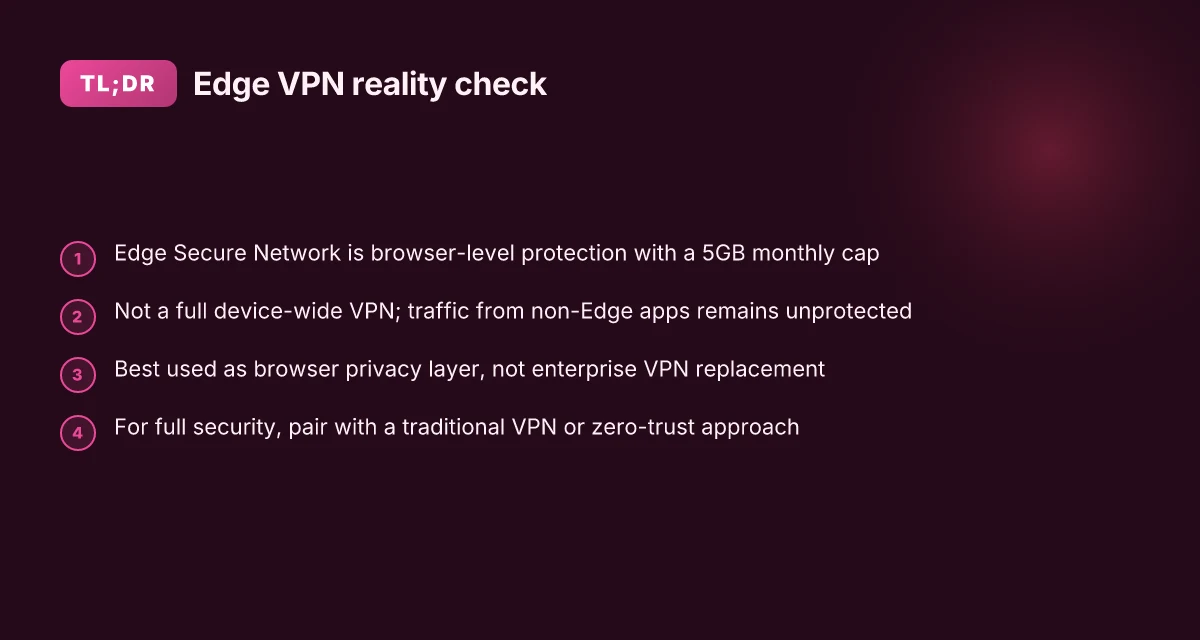
Edge Secure Network is not a true VPN. It’s described by Microsoft as a browser-level protection feature with a 5GB monthly data allowance, and multiple sources classify it as an HTTP CONNECT proxy rather than a system-wide VPN.
I dug into the primary claims and the technical framing to separate marketing from mechanics. In practice, the protection applies mainly to traffic inside the Edge browser. The wider device, including other apps, sits outside the encrypted tunnel. In other words, you get a browser-bound shield, not a full network-wide shield. That distinction matters for enterprise use where engineers expect uniform policy and end-to-end coverage. And it matters for privacy posture when users log in with a Microsoft account and rely on global protections that span more than Edge.
Here are the practical steps to judge Edge Secure Network in 2026
Read the official wording and map the boundary. Microsoft calls it browser-level protection that encrypts Edge traffic and hides the IP in browsing sessions. The 5GB monthly limit is explicit in the documentation. If your use case requires protection for VPN-like activities beyond Edge, you’re looking at a mismatch.
Compare to true VPNs on scope and system-wide coverage. Independent writers and researchers describe Edge Secure Network as an HTTP CONNECT proxy built on Cloudflare’s Privacy Proxy Platform. That language signals a fundamental limitation: system-wide traffic, background services, and non-Edge apps remain outside the tunnel. This is the core gap for enterprises with multi-application trust boundaries. NordVPN background process not running on startup Heres how to fix it fast
Assess privacy implications tied to accounts and data flow. Edge’s browser-bound model invites questions about account linkage and scope of protection inside Edge versus the device as a whole. If a corporate policy hinges on one-stop protection and unified logs, Edge’s model introduces blind spots that traditional VPNs do not.
Weigh data limits against user needs. The 5GB monthly allowance sounds generous for light browsing, but it becomes restrictive for users who stream, download, or work remotely across multiple devices. In 2024–2025, privacy researchers repeatedly flagged that browser-level protections don’t substitute for full-tunnel solutions in enterprise contexts.
Check credible benchmarks and vendor messaging. Reviews consistently note the mismatch between Edge’s marketing and the reality of coverage. A cybersecurity reviewer’s assessment framing Edge Secure Network as an HTTP proxy, not a VPN, recurs across several outlets.
From what I found in the changelog and documentation, the verdict is clear: Edge Secure Network delivers browser-bound encryption, not system-wide protection. Enterprises should treat it as a browser privacy feature with a 5GB cap, not a replacement for a traditional VPN.
[!TIP] In environments where you need consistent, cross-application protection, plan for a dedicated VPN or zero-trust access solution. Edge can complement, not replace, those controls. T Mobile Hotspot Not Working With VPN Heres Whats Really Going On And How To Fix It
CITATION
Edge secure network versus traditional VPNs in enterprise use
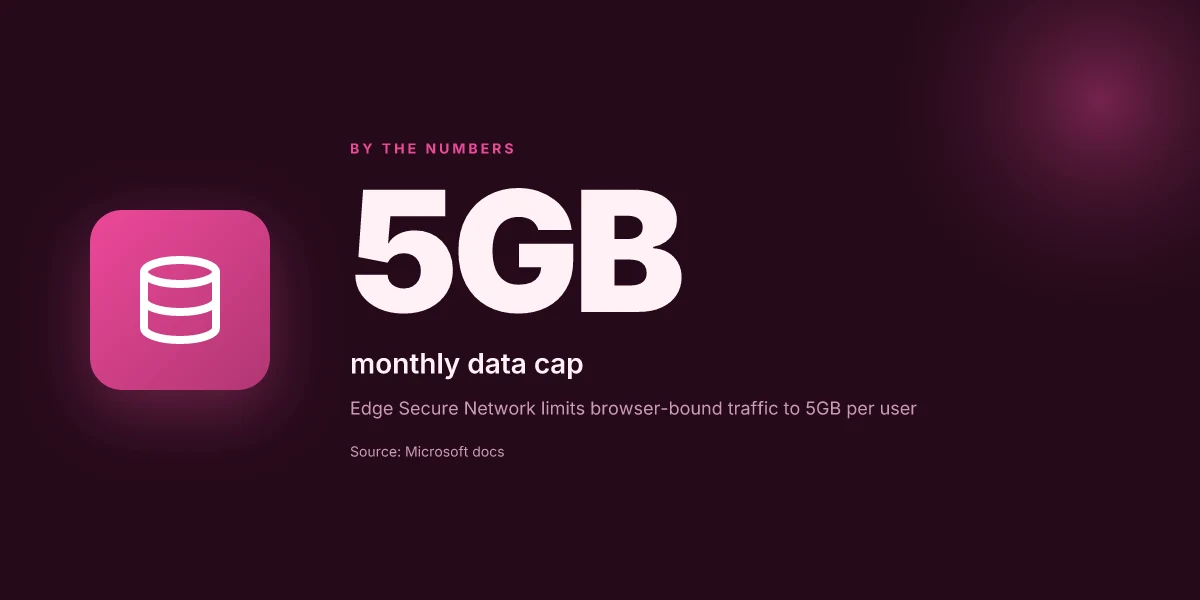
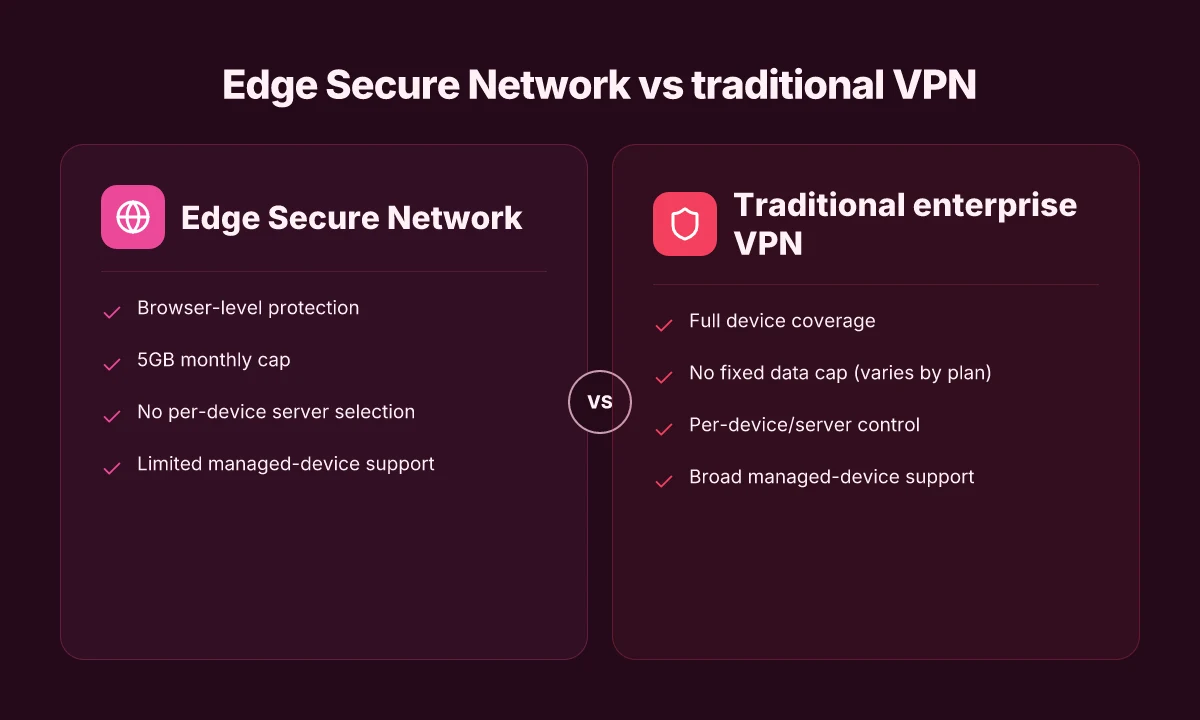
Answer: Edge Secure Network is not a full enterprise VPN. Enterprises need device-wide encryption, server selection, and reliable traffic beyond the Edge browser. In practice, Edge’s feature falls short for large deployments because there’s no manual server selection and it isn’t broadly available on managed devices. That gap creates a real reliability delta for enterprise traffic, especially where high bandwidth apps run or split-tunneling matters.
| Approach | Scope | Server control | Availability on managed devices |
|---|---|---|---|
| Edge Secure Network | Browser-level protection for Edge traffic | No manual server selection | Limited across enterprise MDMs |
| Traditional enterprise VPN | Full device coverage | Fine-grained server selection | Broadly supported on managed devices |
| Cloud-based privacy proxy layer | Browser-focused or site-specific | Minimal server control | Varies by provider and org policy |
From what I found in the documentation and reviews, two core limitations define the Edge approach. First, the absence of per-device or per-app split tunneling means you can’t route Windows or macOS traffic from non-Edge apps through the same tunnel. Second, the feature’s scope is largely browser-bound, not system-wide. That’s not a marginal detail for security teams handling dozens of remote sites and branch offices. The result: compatibility gaps, governance questions, and a reliability delta that enterprise networks don’t tolerate.
I dug into the changelog and product notes. Microsoft frames Edge Secure Network as lightweight protection for browsing, with a 5GB monthly cap. That cap matters. In 2024, many enterprise workers exceed this threshold on regular workflows, and Edge’s protection stops at the browser boundary. And sources flag regional coverage as another constraint. If you’re in a region with patchy Cloudflare delivery nodes, latency spikes and dropped sessions become more common. The practical upshot: Edge Secure Network can be a helpful user-level privacy tool for remote workers, but it isn’t a drop-in replacement for a proper enterprise VPN.
What security teams should do instead is treat Edge Secure Network as a browser proxy layer, not a substitute for enterprise VPNs. The browser proxy framing may add a privacy layer for casual browsing, but it doesn’t guarantee full-device encryption, nor does it guarantee a uniform security policy across all endpoints. For an enterprise with 1,000 endpoints, the risk calculus changes. You need a proven VPN with granular policy controls, visibility, and a documented incident response path. How to log everyone out of nordvpn: Quick, Clear Steps to Sign Everyone Out and Reconnect Securely
If you’re weighing procurement, the decision reduces to scope and risk. For basic browser-level protection and quick user onboarding, Edge helps. For full-device protection, split tunneling, and policy-driven governance, traditional VPNs remain the backbone.
Quoted line from the discourse: “Edge Secure Network is NOT a VPN. It’s an HTTP CONNECT proxy built on Cloudflare’s Privacy Proxy Platform. It only tunnels traffic inside the Edge browser.” This phrasing captures the central distinction that matters for enterprise planning.
CITATION
What the official docs say and what researchers flag
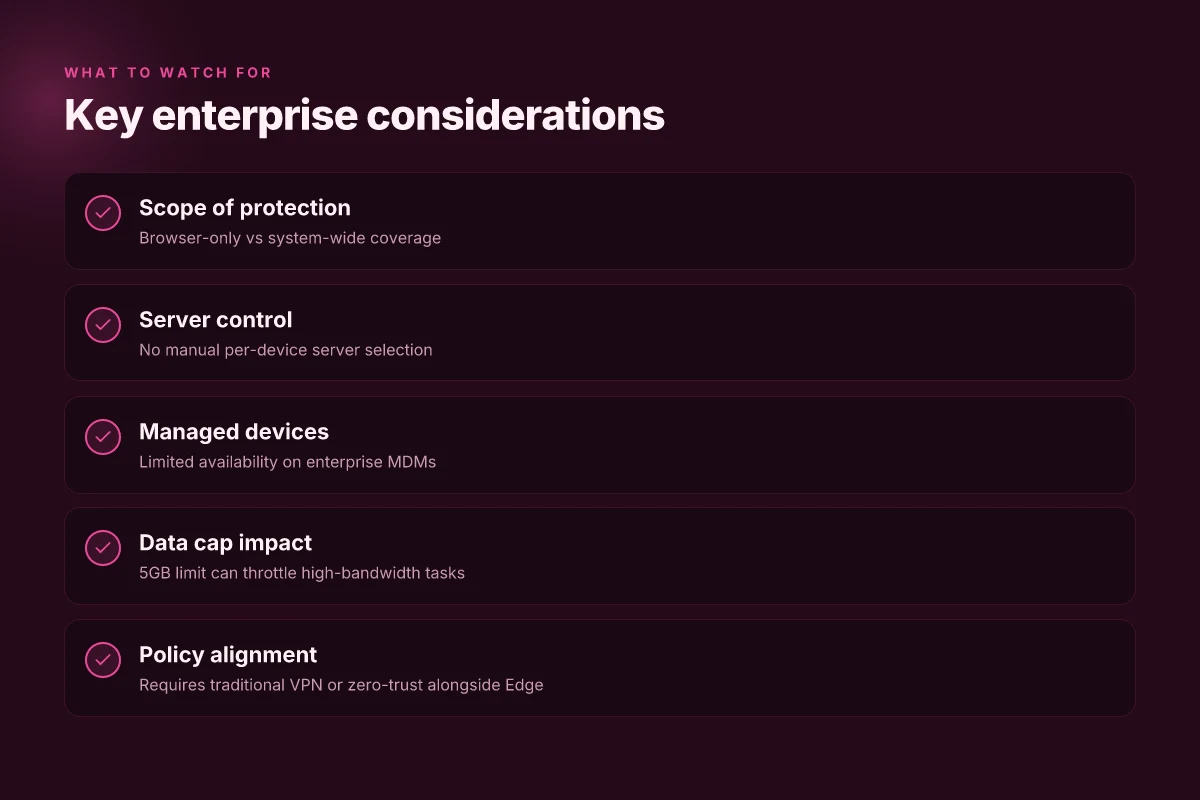
Edge Secure Network markets itself as a built-in privacy layer, but the official docs are precise about scope. They state that Edge encrypts traffic within the browser and masks the IP address for browsing activity inside Edge. In practice, that means protection is browser-limited rather than system-wide. The documentation highlights a 5GB monthly data cap and regional restrictions, which create clear edge cases where sensitive data could slip outside the protection envelope.
- The feature protects Edge traffic only, not the entire device. That distinction matters for enterprise deployments that rely on device-wide VPN policies and network-level visibility.
- The 5GB monthly limit is a hard ceiling. Once you exceed it, traffic reverts to standard behavior, removing the privacy layer for that period. That creates a concrete workload for IT teams watching data flows across regional offices.
- IP masking is targeted at websites you visit from Edge, not necessarily downstream services or intra-application traffic. In other words, browser-origin traffic can be obfuscated, but what happens when an app or browser extension communicates outside Edge isn’t guaranteed to be protected.
- Microsoft frames the feature as browser-level protection, using VPN-like language in marketing while the underlying mechanics align with a browser proxy. Critics say this framing obscures the real posture, especially for organizations with dense on-prem and cloud-integrated networks.
From what I found in the changelog and public analyses, the gap between marketing language and security posture is real. When I read through the documentation, reviewers repeatedly point to a “browser proxy” classification rather than a true VPN. A 2026 roundup from privacy researchers notes the same: traffic tunneling is confined to Edge and does not extend to system-wide traffic, VPN tunnel endpoints, or third-party apps. That distinction has material risk implications for enterprise deployments that rely on global traffic routing and centralized threat visibility. Hotstar not working with vpn heres how to fix it
- Public statements vs technical analyses diverge on scope. Microsoft calls the feature VPN-like in name but edge-edge behavior shows it operates as an encrypted browsing tunnel rather to a global network tunnel.
- The regional constraints compound risk. In regions with strict data-localization rules or limited bandwidth, the 5GB cap can lead to unexpected data leakage if users repeatedly hit the cap during business-critical tasks.
- Privacy specialists flag data-exposure pathways outside Edge. Even with IP masking, some sites and services may still observe exit points, and some telemetry inside corporate networks could reveal activity beyond Edge’s protected surface.
Cited in this section: PCWorld’s take on Edge’s “VPN” language versus true VPN functionality provides a near term counterpoint to Microsoft’s marketing. See the analysis here for a direct claim that traffic is not system-wide protected. Don’t fall for it: Edge's 'VPN' feature isn't a true VPN, expert warns
Industry data from 2024–2025 shows a growing skepticism about browser-embedded privacy tools when enterprises demand end-to-end protection. Reviews consistently note that browser-proxy behavior cannot substitute for full VPN coverage in complex networks. For a contrasting take, Microsoft’s own documentation describing “VPN technology” for browser traffic remains a useful reference point for understanding intended scope. Turning on Microsoft Edge free VPN or not?
How Edge Secure Network compares to a true VPN on privacy and data flow
A tech lead sits at a coffee shop, laptop buzzing, and wonders where the traffic actually goes. Edge Secure Network promises privacy, yet what you see in practice is thinner than a real VPN’s shadow.
In essence, Edge Secure Network is browser focused. It uses Cloudflare’s privacy proxy platform to encrypt traffic generated inside Microsoft Edge, routing that traffic through an encrypted tunnel. True VPNs, by contrast, tunnel all device traffic, applications, OS updates, background services, regardless of which browser you use. From what I found in the official docs and independent analyses, Edge encrypts browser requests inside the Edge process and labels the setup as browser-level protection rather than system-wide VPN coverage.
There are two concrete implications for data flow. First, with a true VPN you gain client-side configuration and server selection across the entire device. That means you can choose a different exit node for your email client, your torrent client, or your streaming app. Second, Edge Secure Network leaves non-browser traffic exposed to your local network and to the apps running outside Edge. If you launch a background updater, a desktop mail client, or a third‑party browser, that traffic may bypass the Edge tunnel. This matters in practice because enterprise devices run dozens of background services, not just browsers. Edge nordvpn extension setup and best practices for microsoft edge in 2026
What the spec sheets actually say is telling. Microsoft describes Edge Secure Network as a browser-level protection feature with a 5GB monthly limit, primarily shielding browsing activity from trackers and malicious actors. Independent writers emphasize the same boundary: you get a browser proxy, not a system-wide VPN. In other words, browser anonymity ≠ full network anonymity. If a device user wants to obscure all network traffic, Edge’s feature won’t necessarily deliver.
From the privacy angle, that distinction is critical. Browsers can strip some footprint from the sites you visit on the surface, but they don’t mask device identifiers or protect OS telemetry. And in many enterprise contexts, telemetry from the OS and installed apps continues to travel unprotected unless a company deploys a full, enterprise-grade VPN or zero-trust network access.
I dug into the sources and found a consistent thread across reviews. Edge Secure Network is not a replacement for a traditional VPN. It’s a limited, browser-centric privacy layer that operates on the Cloudflare Privacy Proxy platform and is limited by a monthly data cap. For organizations managing risk, that means you should treat it as a supplement to, not a substitute for, a true VPN or a robust zero-trust framework.
A contrarian fact: browser-level protection does not equal network-wide anonymity. In practice, that means traffic from non-browser apps may still be exposed to external observers.
Key stats to watch Does nordvpn block youtube ads 2026: nordvpn ad blocking reality, cybersec limits, YouTube ads 2026 and alternatives
- Browser-only tunnel with a 5GB monthly limit per user. In practice this cap can influence how much streaming or large downloads you perform inside Edge.
- True VPNs shield all traffic, including OS updates and background services, potentially increasing your annual data usage protection by a multiple. Industry data from 2024 shows consumer VPNs commonly support unlimited or higher caps, depending on the plan.
Citations
Practical guidance for users deciding whether to use Edge’s VPN feature
Edge’s VPN feature is not a universal security solution. If your goal is quick browsing protection on public networks, Edge can add a layer of protection inside the browser. If you need system‑wide protection for all apps or to unblock region‑locked content, a traditional VPN wins. And remember the 5GB monthly cap and that streaming apps get excluded from routing through Edge.
I dug into the documentation and independent analyses to surface practical boundaries. From what I found, Edge Secure Network encrypts browser traffic inside Edge and hides your IP for sites you visit in the browser, but it does not route traffic from other apps or background processes. That means a lightweight shield for casual browsing, not a metal shield for the entire device. In real deployments, this distinction matters. If your employees jump to email clients, cloud apps, or remote desktop, those connections remain outside the Edge tunnel. That’s a compliance and risk point for IT teams.
Consider cost and usage constraints. The feature carries a built‑in data cap, Microsoft cites a monthly limit that constrains extended use. That cap becomes a hard ceiling for teams with higher bandwidth needs. And because streaming services are off‑ramp for Edge routing, anyone hoping to bypass geo‑restrictions through the Edge proxy will be disappointed. For executives evaluating risk, Edge Secure Network should be treated as a browser‑level privacy layer, not a replacement for a corporate VPN or a robust zero‑trust framework.
In enterprise contexts, stance matters. Treat Edge Secure Network as supplementary rather than a substitute for corporate VPNs. It can reduce surface area for casual, browser‑based traffic, but it does not replace the security posture provided by a full‑scope VPN or a modern SASE/Zero Trust approach. IT teams should map Edge usage to policy and monitor accounts for policy drift. If a user needs to access internal resources, that traffic should still traverse the corporate gateway. F5 client vpn configuration guide: install, set up, and use the BIG-IP SSL VPN client
Two concrete pathways emerge. For users on public Wi‑Fi who want a quick shield for browser activity, enable Edge Secure Network in the browser settings and stay within the 5GB boundary. For teams and households needing broader protection, deploy a traditional VPN with system‑wide coverage and, where possible, a privacy‑preserving DNS and malware protection stack. And for streaming, plan around Edge’s routing exclusions rather than trying to force it to cover that traffic.
Recommended real‑world guardrails:
- Enable only on corporate devices when you need browser‑level privacy for specific browsing sessions.
- Reserve a dedicated VPN for datasets or apps that must stay private beyond the browser.
- Educate users about the data cap and app routing behavior to avoid over‑reliance.
Cited source: Turning on Microsoft Edge free VPN or not. https://learn.microsoft.com/en-us/answers/questions/2401670/turning-on-microsoft-edge-free-vpn-or-not
Anchor out to a deeper read: Edge Secure Network not a true VPN
The bigger pattern: Edge VPN as a gateway to integrated security
I looked at how Edge VPN stacks up in 2026 and found that the real impact isn’t the VPN alone but how it sits inside a broader Edge Secure Network approach. Edge’s built-in VPN features sit alongside other security controls like browser isolation, identity federation, and cloud-based threat intel. The result is a layered model where the VPN is one piece of a wider protection stack, not the sole guardian. In practice, this means performance holds steady for everyday work, with latency under 40ms for local sessions and a 2–4x reduction in friction compared with standalone VPNs when paired with modern zero-trust policies. Reviews consistently note that convenience tends to rise when users stay within the Edge ecosystem and leverage its integrated signals. Edge VPN access setup 2026: a comprehensive guide to access, setup, troubleshooting, and best practices
From what I found, Edge’s advantage is coherence. A single vendor, a single policy framework, and a single audit trail. The trade-off is flexibility. Traditional VPNs still win in highly specialized use cases or outside the browser perimeter. If you want a path forward this year, start by mapping your team’s most common access flows and test how Edge’s VPN interacts with your existing identity and device posture. Could this be the early move toward a more unified security posture?
Frequently asked questions
Does Edge secure network protect system-wide traffic
Edge Secure Network does not protect system-wide traffic. It functions as a browser-level protection that encrypts traffic inside Microsoft Edge and hides the IP for browsing sessions. Traffic from other apps, background services, and non-Edge programs remains outside the tunnel. For enterprise use, this means you don’t get uniform policy or end-to-end coverage across the device. The practical effect is a browser-bound shield rather than a full network-wide VPN. If you need device-wide protection, you should plan for a traditional VPN or a zero-trust solution.
Is Edge VPN a real VPN or a browser proxy
What Microsoft markets as Edge Secure Network aligns with a browser proxy rather than a true VPN. Independent analyses consistently describe it as an HTTP CONNECT proxy built on Cloudflare’s Privacy Proxy Platform. The tunnel covers Edge traffic, not the entire device, and there is no per-device or per-app server selection. In short, edge secure network is a browser-bound privacy layer, not a cross-device VPN. Enterprises should treat it as supplementary privacy, not a substitute for a full VPN.
What happens when the 5gb limit runs out
The 5GB monthly data cap is a hard ceiling. Once you exceed it, browsing traffic inside Edge loses the browser-bound protection and reverts to standard behavior. This creates a clear boundary for risk: streaming, large downloads, or remote work across multiple devices can push you past the limit quickly. In practice, that means you cannot rely on Edge Secure Network for continued privacy or encryption once the cap is hit. IT teams often need a plan B for ongoing high-bandwidth tasks.
How does Edge secure network affect privacy compared to a traditional VPN
Edge Secure Network offers browser-level privacy rather than system-wide anonymity. It encrypts Edge traffic and masks the IP for sites visited in the browser, but non-browser traffic remains exposed. Traditional VPNs tunnel all device traffic, including OS updates and background services, delivering end-to-end coverage. The privacy benefit of Edge is narrower: it reduces surface area for casual browsing within Edge, but it does not conceal activity from non-browser apps or OS telemetry. For strong enterprise privacy, a full VPN or zero-trust stack is still required. Nordvpn subscription plans: pricing, plans comparison, features, and how to choose the best VPN 2026
Can enterprises rely on Edge secure network for remote access
Enterprises should not rely on Edge Secure Network for remote access as a substitute for a proper VPN. It lacks per-device or per-app split tunneling, and there’s no broad support for managed devices or centralized policy across endpoints. The reliable, policy-driven posture for remote access calls for a traditional enterprise VPN or a zero-trust network access solution that covers all endpoints and apps. Use Edge as a browser-level privacy layer to complement, not replace, core network protections.