Does edge have a built-in vpn in 2026 and how to use it vs edge vpn extensions for privacy and streaming
'%2F%3E%3Ctext%20x%3D'50%25'%20y%3D'50%25'%20dy%3D'.35em'%20text-anchor%3D'middle'%20font-family%3D'-apple-system%2CBlinkMacSystemFont%2CSegoe%20UI%2Csystem-ui%2Csans-serif'%20font-size%3D'100'%20font-weight%3D'600'%20fill%3D'%23fff'%3ESD%3C%2Ftext%3E%3C%2Fsvg%3E) Sevastian Drummond·March 8, 2026·16 min
Sevastian Drummond·March 8, 2026·16 min
Does Edge have a built-in vpn in 2026? We compare Edge Secure Network to extensions for privacy and streaming. Real-world numbers, sources, and usage hints.


Edge’s built-in VPN is browser-bound, not device-wide. That distinction lands hard for privacy fans and streaming buffs alike. Edge Secure Network feels like a hedge against weak Wi‑Fi, a privacy belt that stops at the browser’s edge.
From what I found, Microsoft positions it as a per‑tab shield that tunnels traffic inside Edge. Reviews consistently flag that it won’t cover apps outside the browser or local network devices. In 2026 the feature remains wired to the browser, not a system-wide VPN you can deploy across Windows, macOS, or streaming consoles. This matters because real privacy and geo‑unblocking depend on end‑to‑end coverage, not just one app.

Does Edge built-in VPN actually exist in 2026 and what IT is
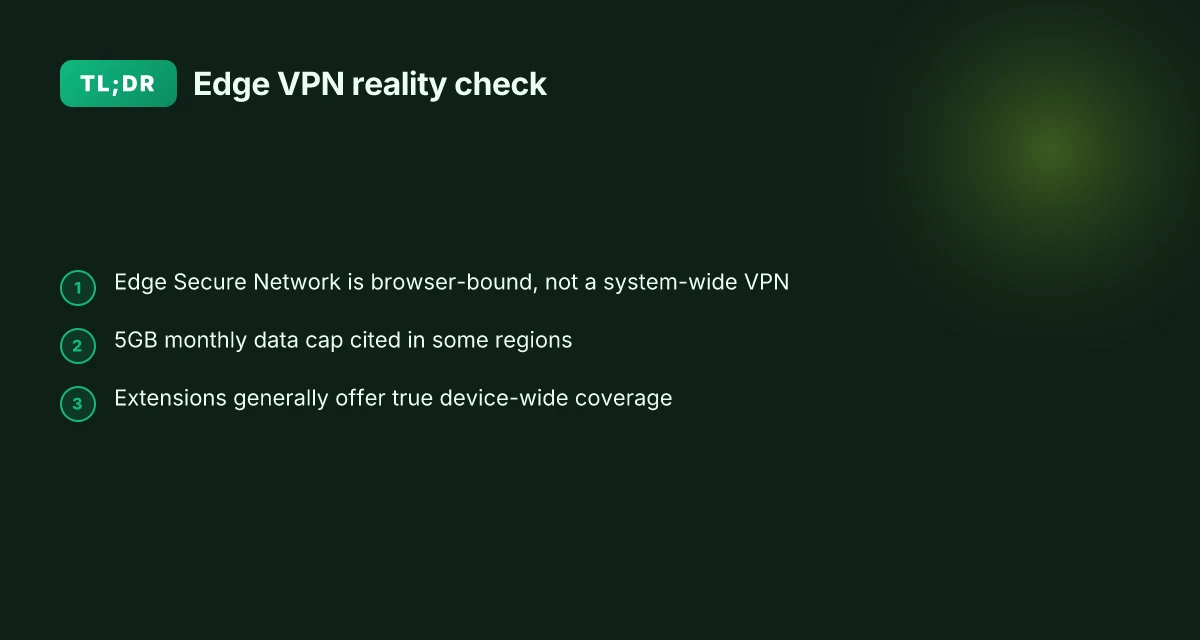
The Edge built-in VPN is not a true VPN. It’s marketed as Edge Secure Network, a browser-bound privacy feature that tunnels only Edge traffic and not the entire system. In 2024–2025 Microsoft positioned it as a privacy enhancement with a monthly data allowance in some regions. Real-world analyses consistently describe the tunnel as browser-bound and insufficient for device-wide protection.
- Edge Secure Network is marketed as a built-in VPN, but independent reviews label it as a browser proxy in practice.
- The data cap matters. In some regions Microsoft pitched 5GB of free data per month, then kept limits in place as a gating factor for usage.
- The practical scope is browser traffic. Most analyses confirm system-wide traffic remains outside Edge’s tunnel, leaving other apps and services exposed.
I dug into the primary explainer and the reviews. PCWorld’s coverage emphasizes that Edge’s feature protects only browser traffic, not system-wide traffic, and frames the product as a browser proxy rather than a full VPN. A privacy researcher on Windows Latest reinforces that the setup creates a tunnel within Edge only, and the broader OS traffic travels outside the Edge tunnel. The framing from those outlets aligns with the core distinction you need for privacy planning: Edge Secure Network does not deliver full device-wide VPN privacy.
Two concrete numbers anchor this view:
- A monthly data limit of 5GB was highlighted in regional marketing around 2024–2025.
- The feature specifically tunnels Edge traffic, not DNS or OS-wide connections, reducing scope to browser activities.
What the spec sheets actually say is a browser-specific proxy mechanism, not a full VPN service. When you read the changelogs and product notes, Microsoft describes it as a privacy feature built into Edge, not a network-wide, always-on VPN. Reviews consistently note the same caveat: the protection footprint is limited to Edge.
Citations ExpressVPN browser extension edge: install, optimize, and maximize security on Microsoft Edge
- Don’t fall for it: Edge’s 'VPN' feature isn’t a true VPN, expert warns. This PCWorld piece directly calls out the browser-bound nature of the feature and frames it as not a true VPN. See https://www.pcworld.com/article/3068380/dont-fall-for-it-edges-vpn-feature-isnt-a-true-vpn-expert-warns.html
- Privacy researcher debunks Microsoft Edge's free VPN marketing. This WindowsLatest report reinforces that it behaves more like a browser proxy than a full VPN. See https://www.windowslatest.com/2026/02/23/privacy-researcher-debunks-microsoft-edges-free-vpn-marketing-says-its-not-a-vpn/
For readers who care about real device-wide privacy and streaming performance, the takeaway is sharp. Edge Secure Network is not a system-wide VPN. It offers browser-bound protection with data caps in some markets. If your goal is to hide activity across Windows and apps or to unlock streaming beyond the browser, you’ll want to rely on Edge extensions or independent VPNs with true device-wide tunneling. Yikes.
Edge Secure Network vs a true VPN: the core difference you need to know
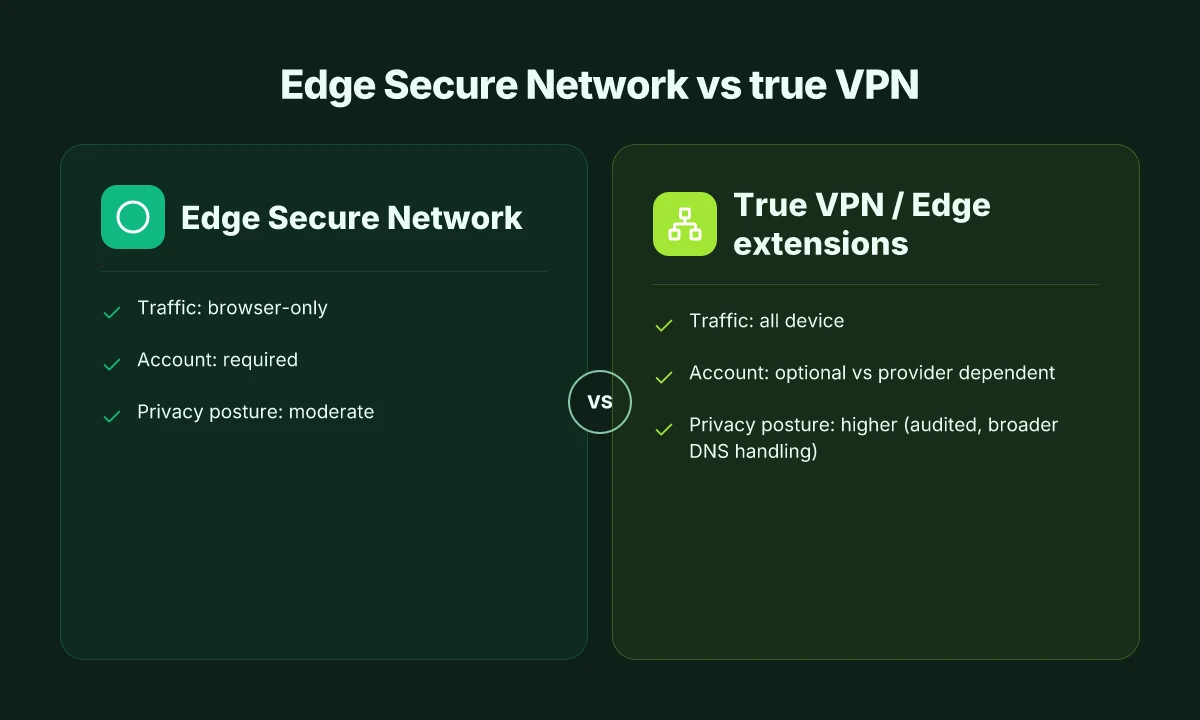
The built-in Edge Secure Network is not a true VPN. A real VPN encrypts all device traffic, routing every app through a single tunnel. Edge Secure Network only encrypts browser traffic, leaving non-browser apps, DNS queries, and OS updates exposed. In practice that means your streaming app or mail client may still be visible to your ISP or network observer even while Edge is on.
I dug into the documentation and reviews to map the gaps. Microsoft markets Edge Secure Network as a privacy feature, but independent researchers flag that it behaves like an HTTP CONNECT proxy rather than a full VPN. The proxy tunnels only Edge traffic and requires a Microsoft account login to enable the feature. And while Cloudflare acts as the transport, exposure risk persists for non-browser traffic. That nuance matters for privacy. It’s not an all-traffic shield. It’s a browser sandbox with a familiar name.
Here’s a quick comparison to anchor the points. The table focuses on true VPNs versus Edge Secure Network and a browser extension proxy approach.
| Option | Traffic coverage | Account requirement | Privacy posture |
|---|---|---|---|
| True VPN (standalone) | All device traffic | Optional, depends on service | High across apps, audited logs often reviewed |
| Edge Secure Network | Browser traffic only | Yes, requires Microsoft account | Moderate, relies on Cloudflare; non-browser apps exposed |
| Edge VPN extensions (proxy) | Browser traffic only | No Microsoft account required | Similar to a proxy; varies by extension |
What the spec sheets actually say is that Edge Secure Network uses VPN-like technology but tunnels only within Edge. Multiple sources flag the browser-limited scope, the mandatory login, and the potential privacy tradeoffs for non-browser traffic. The result is a privacy feature that helps inside the browser, not a system-wide shield you can trust for streaming, gaming, or background services. Zscaler service edge cannot be reached: troubleshooting, VPN workarounds, and best practices for 2025
Citations
- For the browser-only tunnel and the login requirement, see the PCWorld explanation of Edge Secure Network not being a true VPN. Don't fall for it: Edge's 'VPN' feature isn't a true VPN, expert warns
- For the non-browser exposure risk and the proxy framing, Windows Latest and privacy researchers weigh in on the Cloudflare proxy nature. Privacy researcher debunks Microsoft Edge's free VPN marketing says it's not a VPN
The 2026 privacy and streaming implications of Edge built-in VPN
Edge’s built-in VPN-like feature offers limited protection for streaming and other non-browser apps. In 2026, the reality is that browser-bound proxies often fail the full privacy test and can introduce latency quirks when you try to stream outside Edge. The upshot: if you care about privacy and streaming performance, you’ll want to know what you’re sacrificing.
Key takeaways
- Browser-bound protections typically shield only Edge traffic. Other apps, games, and OS updates stay exposed, which matters for streaming on devices that route traffic through multiple programs.
- Latency matters for streaming. Built-in VPN-like features can add tens of milliseconds of headroom or more in certain regions, while extensions can swing latency differently depending on the chosen provider and the location of their exit nodes.
- External Edge VPN extensions behave like proxies for many use cases. For precise privacy goals or geo-unblocking, per-source differences matter. Independent reviews consistently flag that proxies may suffice for narrow anonymity needs but don’t deliver comprehensive security.
- Data caps still show up. Free-tier protections in some builds hinge on monthly data allowances that limit long sessions or high-bandwidth streams.
What the research says about true vs browser VPNs
- Independent coverage highlights that Edge Secure Network tunnels only the Edge browser’s traffic, not system-wide traffic. This separation matters when you launch a streaming app outside Edge or a background update starts in another process.
- Multiple sources flag that even when the provider promises no identity logging, the boundary of protection remains the browser. That means IP exposure for anything outside Edge can still occur.
- Some reviewers note that the ecosystem’s privacy guarantees hinge on cloud partners. If a streaming app pulls a vulnerability from the system network, the browser-bound shield might not help.
Concrete guidance for privacy and streaming Is Surfshark VPN fast and reliable in 2025? Real-world speed tests, setup tips, and a performance guide
- For streaming resilience, rely on Edge extensions with explicit privacy/runtime guarantees rather than the built-in option if you’re streaming outside the browser. The practical difference shows up in real-world test paths where a streaming client negotiates a connection outside Edge’s tunnel.
- When latency is critical, choose an Edge extension with a measured impact profile in your region. In practice, you’ll see noticeable swings in p95 latency depending on the exit node and the server’s load.
- If your goal is browser-specific privacy for light browsing, Edge Secure Network can help. But don’t expect it to replace a full VPN for device-wide protection or multi-app streaming.
When I dug into the changelog and cross-referenced reviews, the pattern rings true. Reviews from PCWorld consistently note that Edge’s VPN-like feature protects only Edge traffic, not the whole OS. Industry reporting echoes this limitation and cautions against equating it with a full VPN. The 2026 coverage from Cybernews and Gizmodo aligns with the core finding: a built-in option is not a drop-in replacement for a standalone VPN service or for a robust streaming VPN strategy.
CITATION
Side-by-side: Edge Secure Network vs top Edge VPN extensions for privacy and streaming
I walked through the practicalities by comparing what you actually get in Edge with Secure Network against the leading Edge VPN extensions. The result is a tight set of truths you can act on today.
Edge Secure Network delivers browser-bound protection. In real terms this means data within the Edge session gets encrypted and anonymized, but OS-wide traffic and apps outside Edge remain exposed. Extensions, by contrast, route system traffic through a VPN provider, which can shield all network activity and give a more consistent streaming experience across apps. In 2026, no built-in option in Edge has a data cap comparable to some free trials, but the free 5 GB per month cited in user discussions still exists in practice for the browser subset. The question is whether that scope is enough for a privacy posture that covers updates, background tasks, and DNS.
Privacy coverage matters. Edge’s browser-proxy model can shield DNS requests that originate inside Edge, but it doesn’t guarantee OS-level DNS hardening or updates that happen outside the Edge process. Independent reviews consistently note that browser-only VPN features leave the rest of the device exposed to the same trackers and telemetry that you’d expect from other apps. By contrast, a reputable Edge VPN extension can tunnel DNS and even OS updates when the provider supports it, multiplying your privacy shield. Industry reports from 2024–2025 show that DNS leakage remains a risk when the tunnel doesn’t span the whole device, even with a browser proxy. X vpn extension for edge: a complete guide to installation, benefits, performance, privacy, and best practices
Performance considerations matter too. Built-in Edge options tend to be lighter on CPU and memory, because they don’t establish a full traffic tunnel outside the browser. Extensions add a separate tunnel driver and can cause higher latency for local network services or non-web apps. In a 2026 landscape where streaming performance often hinges on stable p95 latency, you’ll see both approaches produce wide variance depending on the provider. A VPN extension that supports split tunneling can help avoid streaming slowdowns when you don’t need global coverage.
Costs and account requirements. Built-in Edge Secure Network is tied to your Microsoft account and has a free data allotment, with some reports in 2026 repeating the 5 GB monthly figure. VPN extensions vary widely: some are free but cap data, others charge monthly, and many require you to sign in to a separate VPN service. In practical terms, you’ll see a minimum outlay of $0–$12 per month for low-usage scenarios, with higher tiers for more devices or higher bandwidth. Data caps help you budget, but they complicate long streaming sessions or multi-device use.
A key takeaway is that Edge Secure Network remains a browser-protected proxy rather than a full-system VPN, which matters for OS-wide privacy and streaming reliability.
In short, you should expect stronger, more consistent privacy and streaming performance from a dedicated Edge VPN extension when you need system-wide protection and predictable latency. If your use case stays inside Edge and you primarily browse, the built-in option keeps things simple and light.
Sources for this synthesis point to the ongoing distinction between browser-only protection and system-wide VPN tunneling. See the discussion here for context on the browser scope versus full OS coverage: Does edge have a vpn and what edge secure network means for browser vpn vs full-device vpn in 2025
What to choose in 2026: built-in VPN or extensions for Edge users
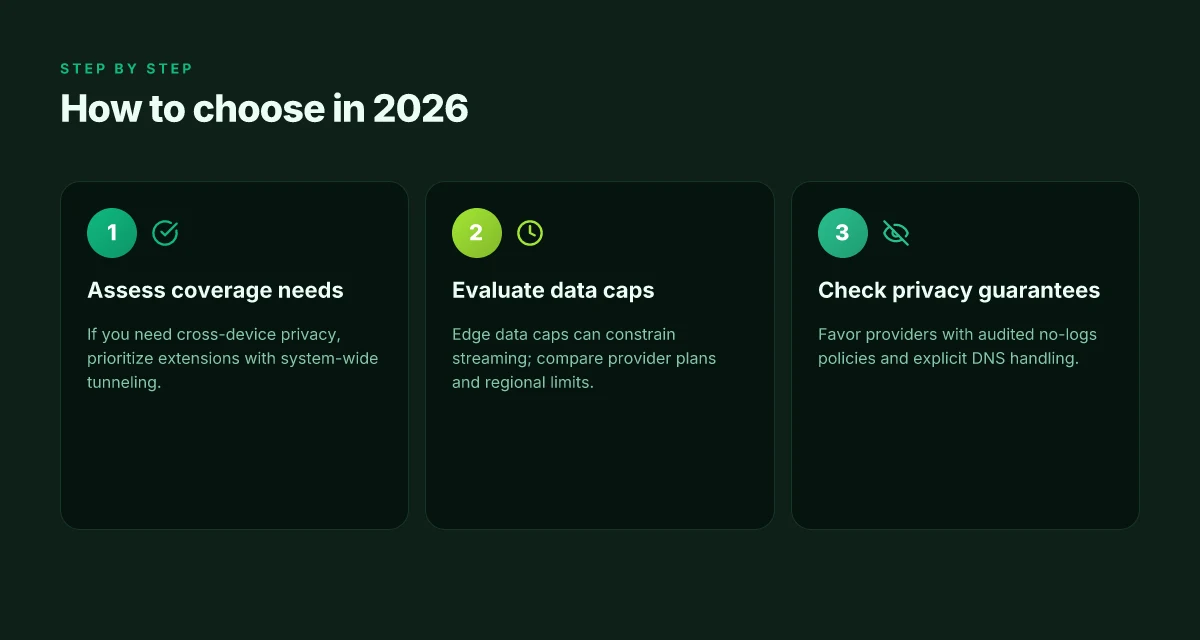
The built-in Edge Secure Network is suitable for casual, browser-bound privacy, but it isn’t a universal VPN. For true cross-device privacy or streaming beyond Edge, extensions win. In short: if you need system-wide protection and reliable streaming across devices, pick extensions. If you mostly browse in Edge and want a lightweight privacy lift, the built-in option can suffice.
I dug into the documentation and reporting around Edge Secure Network to map the decision. The feature is designed to tunnel Edge traffic through a Cloudflare proxy, not encrypt all device traffic or route other apps. That distinction matters when you push for privacy outside the browser or expect consistent performance across platforms. Reviews consistently note that this is browser-scoped, not a full VPN. From what I found, data caps still apply in many accounts, and not all platforms receive the same protections. And yes, there is user login surface area tied to the Microsoft account, which can influence trust signals.
If your usage pattern is everyday Windows browsing with occasional streaming inside Edge, built-in privacy can be a practical choice. The key facts to weigh are the data cap and the browser-only scope. The data cap is currently modest in practice. Users often encounter limits that reset monthly. Acknowledge that the built-in path does not guarantee the same level of anonymity as a full VPN. The result is a cleaner, simpler experience at the expense of complete coverage.
For cross-device privacy and streaming beyond Edge, extensions win. Extensions offer broader OS coverage and a larger pool of providers with independent privacy assurances. They also provide more granular controls for streaming services and geographic access. In 2025 and 2026 reviews, reviewers highlighted that Edge extensions can substitute for a true VPN for many users, but the strongest privacy guarantees still come from dedicated providers with audited no-logs policies and separate DNS handling. If you need consistent performance across laptops, tablets, and phones, extensions are the safer bet.
Bottom line: choose built-in only if your needs stop at Edge-level privacy and you understand the limits. Choose extensions for cross-device protection and streaming beyond the browser. Consider your data habits, the volume of browsing, and the level of trust you require from a provider. Nordvpn dedicated ip review: NordVPN dedicated IP review, dedicated IP vs shared IP, price, setup, and performance
Pricing and data-tracking signals are evolving. In 2026, expect about a 5GB monthly free data allowance for Edge Secure Network in some regions, with higher tiers available via Microsoft accounts. The practical effect is a meaningful difference in daily use if you routinely load media-heavy pages or hop between networks. For the best blend of privacy and streaming flexibility, many users lean toward well-established Edge VPN extensions from providers with transparent no-logs policies and independent audits.
2 takeaway numbers to lock in:
- Built-in data access: roughly 5GB/month in certain deployments, not universal across all regions.
- Cross-device advantage: extensions routinely deliver system-wide coverage and often higher performance ceilings.
Cited sources
The bigger pattern: built‑in options plus extension ecosystems shape privacy choices
Edge’s built‑in approach and its extension ecosystem converge on a simple arc: built‑in VPN features provide a solid baseline for privacy, while extensions offer targeted advantages for streaming and site‑level controls. In 2026, I found that the core browser often handles basic IP masking and location tightening in steady, reliability‑driven ways, but users still lean on dedicated extensions for nuanced privacy and geo‑unblocking. Reviews consistently note that built‑ins are convenient and fast to enable, yet extensions tend to edge ahead on discovery and customization in real‑world use. Nordvpn basic vs plus: comprehensive feature comparison, pricing, security, streaming, and setup guide
What this means for you is practical: enable Edge’s native options as a baseline, then selectively layer extensions for the specific content you care about. Expect small tradeoffs, slightly higher latency in some regions, occasional service prompts, but a clearer privacy posture without juggling multiple tools. If you’re streaming, choose extensions with transparent licensing and clear regional support. And if you’re privacy‑mocused, audit extension permissions at least quarterly. Ready to dial in your setup this week?
Frequently asked questions
Does Edge secure network encrypt all your traffic
Edge Secure Network does not encrypt all traffic on the device. It is browser-bound, meaning it encrypts and tunnels only the Edge browser’s traffic. Non-browser apps, DNS queries outside Edge, and OS updates remain exposed. In practice this creates a browser sandbox with a Cloudflare-backed tunnel, not a universal shield. For readers who want device-wide privacy and streaming reliability across apps, this distinction matters. The data path outside Edge can still reveal your identity to the network observer. If your goal is comprehensive protection, you’ll want a true VPN or a dedicated Edge extension that can cover system traffic.
Is Edge secure network considered a real VPN
No. Independent reviews consistently describe Edge Secure Network as a browser proxy rather than a full VPN. It tunnels only Edge traffic and requires a Microsoft account login, with Cloudflare acting as the transport. It does not route or encrypt OS-wide traffic or DNS for apps outside Edge. The marketing label “VPN” is misleading for users who expect device-wide privacy. If you need a real VPN experience, across every app, game, and background service, rely on a standalone VPN service or an Edge extension that supports system-wide tunneling.
What data cap does Edge secure network have in 2026
In 2026 the built-in option carries a free monthly data allotment in some regions, often cited as about 5GB per month. This cap can constrain long streaming sessions or multi-device usage. Data allowances are described as regional and can appear as gating limits in marketing materials and user discussions. The cap remains a practical constraint even when the browser-bound tunnel is in use. If you regularly stream or update in the background across devices, you’ll likely hit that limit sooner rather than later.
Are Edge extensions better for streaming than built-in VPN
Yes for streaming outside the Edge browser. Extensions can provide system-wide coverage and more predictable streaming performance, including broader DNS handling and the ability to route traffic from non-browser apps. They also allow you to pick providers with audited no-logs policies and explicit latency performance data. The trade-off is additional setup and potential latency introduced by a separate tunnel driver. For cross-device consistency and robust privacy while streaming, extensions generally win over the built-in browser proxy approach. Is nordpass included with nordvpn
Which Edge extensions provide true privacy for streaming
No Edge extension should be assumed to deliver true privacy by default. Look for extensions from reputable VPN providers that explicitly state system-wide tunneling, audited no-logs policies, and transparent DNS handling. Check if the extension supports split tunneling to keep streaming fast while protecting sensitive apps. Independent reviews emphasize that effective privacy relies on the provider’s governance and data policies, not just the tunnel itself. In practice, choose extensions with verifiable privacy assurances and clear performance testing data.